Hi! I got the AirPods 4 and they won't connect to my iPhone does anyone know how to fix it?
Lara_04
 User level: Level 1 (10 points)
AirPods 4 pairing
Posted on Oct 2, 2026 4:04 AM
User level: Level 1 (10 points)Hi! I got the AirPods 4 and they won't connect to my iPhone does anyone know how to fix it?
Posted on Oct 2, 2026 4:04 AM

 User level: Level 10 (97,882 points)
Oct 2, 2026 4:08 AM in response to Lara_04
Welcome and thank you for reaching out. 🤗
You might need to reset your AirPods:
 next to your AirPods. (If you don't see your AirPods in Settings > Bluetooth, just go to the next step.)
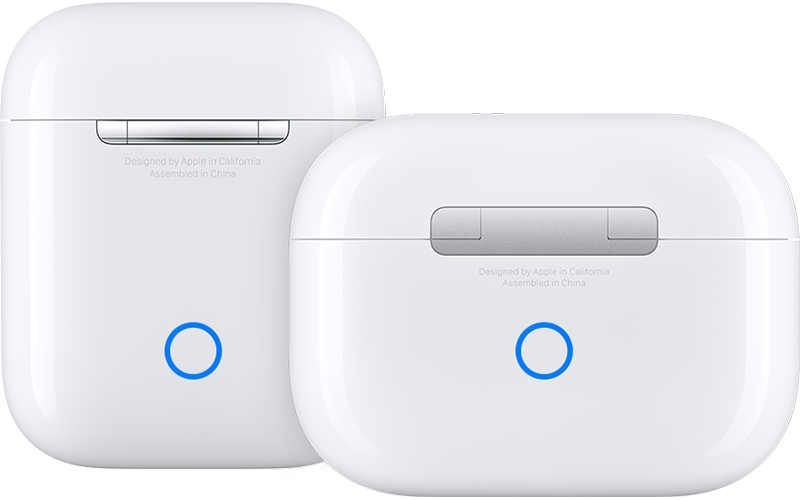
If you need more help, contact Apple Support directly.
Good Luck! 👋🏼😉
Smiliñ 😎 Brian | Community Volunteer
User level: Level 10 (97,882 points)Oct 2, 2026 5:04 AM in response to Lara_04
Thank you for reaching out. 🤗
Learn what to do if your AirPods won't connect. ↓
Contact Information:
Additional Support:
Good luck! 👋🏼😉
Smiliñ 😎 Brian | Community Volunteer
User level: Level 1 (10 points)Oct 2, 2026 4:09 AM in response to Smilin-Brian
it didn't work do you know any other methods?
Originally posted at discussions.apple.com/thread/256368995