Unofficial archive. This is a read-only, community-run archive of the Apple Support Community. It is not affiliated with or endorsed by Apple Inc.

Problem displaying photos on Wallpaper in Tahoe 26

I updated MAC Mini M1 to Tahoe 26 and my wallpaper which is folder of my photos will not display. Every time I select one the Tahoe Dynamic Wallpaper is shown. I have tried numerous things selecting single image files from the computer hard drive, and other things and still no luck. Seems like the New Dynamic Wallpaper is bogging down my machine.

Thanks


3 replies

Try: Feedback - Photos - Apple


To select the folder with images, you have to do it in two steps.

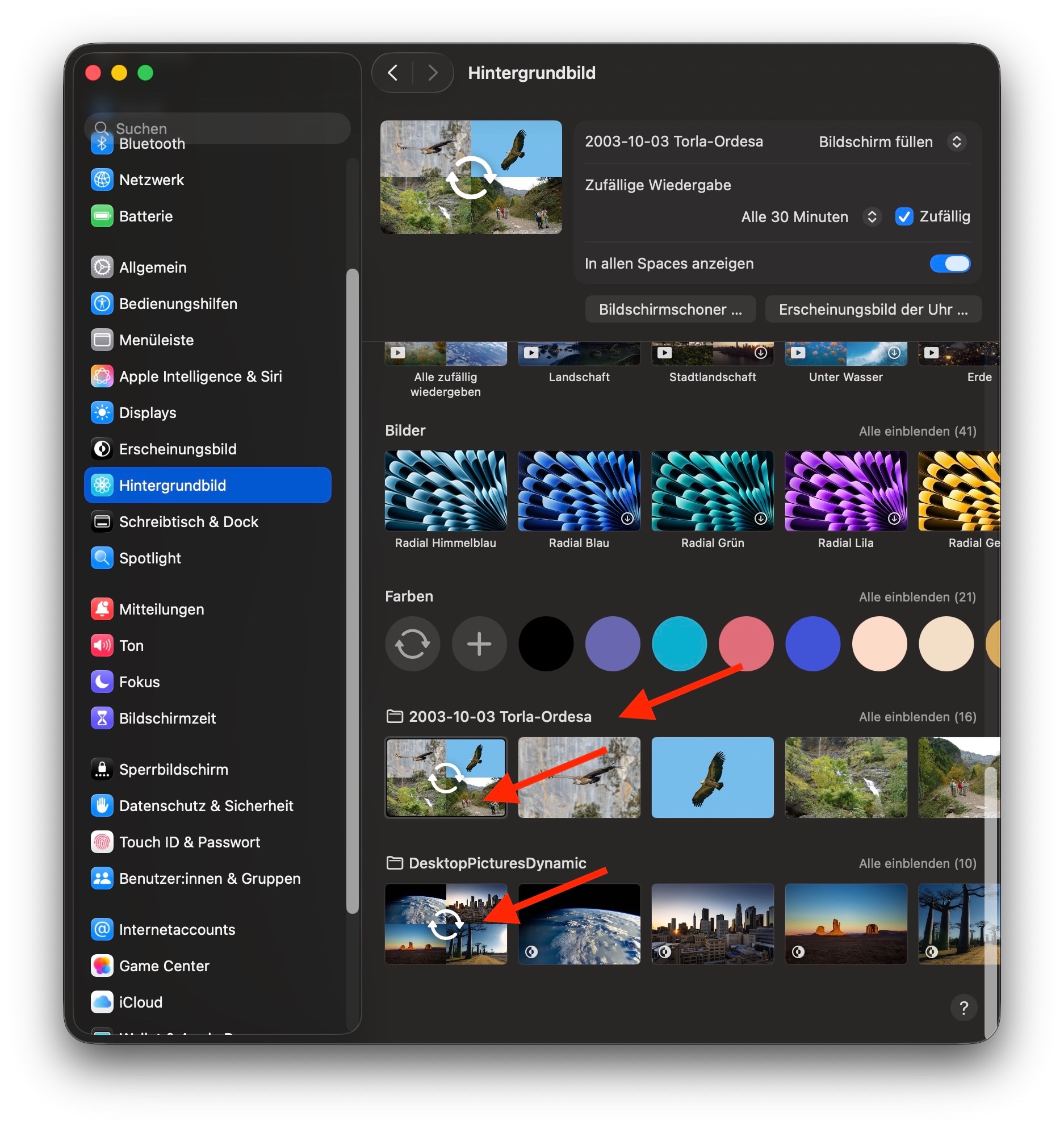
  • First you click "Wallpaper" in the sidebar of the Setting, then below "Your Photos" click "add Photo" and select your folder. This will not yet change the selected wallpaper, but will add your folder with photos at the bottom of the list of available wallpapers.
  • Now click the first picture in the added folder (way down at the bottom), it should be showing an overlay of chasing arrows, to make this folder the source of your wallpaper. You may need to scroll the list to see your added folder and be able to select it.

I have added two different folders with wallpapers, both are working well, one with dynamic backgrounds, one with still frames. Sorry, my Mac is set to German, but the screenshot will show you where to look for your added folders, below the solid colors:



Yours is not the first report of some issue here.


To be proactive you can file a bug report / submit your Apple Feedback here: Product Feedback - Apple


known issues to Apple typically are addressed by point-updates in the feature as they roll out.


Could not find a way to report this using the link you provided.