Unofficial archive. This is a read-only, community-run archive of the Apple Support Community. It is not affiliated with or endorsed by Apple Inc.

When is it time to upgrade Mac Studio M1

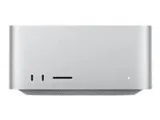
Have had Studio M1 since it came out. Has worked well but now feels very slow on things.... I seem to read hints that an M4 version will appear early 2025(?), but trying to figure out whether to wait for that, move to the current latest Studio or just get an MacBook M4 Pro and essentially use it as a desktop... Welcome expertise or insight? Thanks.

6 replies

Don't just guess why you have poor performance.


Consider downloading and running this little "discovery" utility, Etrecheck. It changes NOTHING. Etrecheck was developed by senior contributor here, and uses system calls to collect often-needed information.


it contains little tests for speeds of devices, CPU utilization, memory usage, energy usage and a digest of recent problems, in one easy to use package. it does not even need to be Installed. Because less can be learned when your Mac is running great, best time to run is when your problems are actually occurring, if possible.


if you follow the directions faithfully, its report (pre-laundered of all personally-identifiable information) can be "Shared" to the System ClipBoard, then Pasted into an ‘Additional Text’ window in a reply on the forums.


Use Etrecheck Pro for free:

http://Etrecheck.com


Then start a reply on the forum, cllck the additional text icon, and PASTE


EtreCheck is 100% safe and does NOT post any personal information. Please post your EtreCheck report as requested and some experienced eyes will look it over for obvious issues with your Mac Studio.

Unless you have maxed out the storage space on the SSD, or installed software that interferes with the normal operation of the Mac, there is no reason for it to be slower than the day it was first used. There are no components that slow down

My Mac Studio M1 was working just fine and did not slow down. I recently traded in for a Mac Mini M4 pro which is faster than the Studio and has a much smaller footprint. But as already stated your Mac Studio M1 should perform fine with some investigation and resolution of any issues.

The developer of EtreCheck is a long time and respected member of these forums who regularly contributes to discussions. Etrecheck only collects information about a system to create a report, it NEVER EVER changes any settings or modifies files in any way.


I also have an M1 Studio Max and it is performing every bit as well today as it did out of the box two years ago.

So Etrecheck is safe and not malware or anything else to be concerned with? (Always suspicious when software is free and gets access to the computer to significant degree)?