I have a iphone7 and I looked up how to close apps, It said to swipe up from the bottom.
That used to work, however now it does not.
So what could I have done to make it not work ?
Phil
 User level: Level 1 (9 points)
I have a iphone7 and I looked up how to close apps, It said to swipe up from the bottom.
That used to work, however now it does not.
So what could I have done to make it not work ?
Phil
Posted on Oct 2, 2023 10:44 AM
 User level: Level 4 (1,838 points)
Oct 2, 2023 10:55 AM
Hi there,
Your post indicates that you're using an iPhone 7. If so, this is how you can close apps on your iPhone:
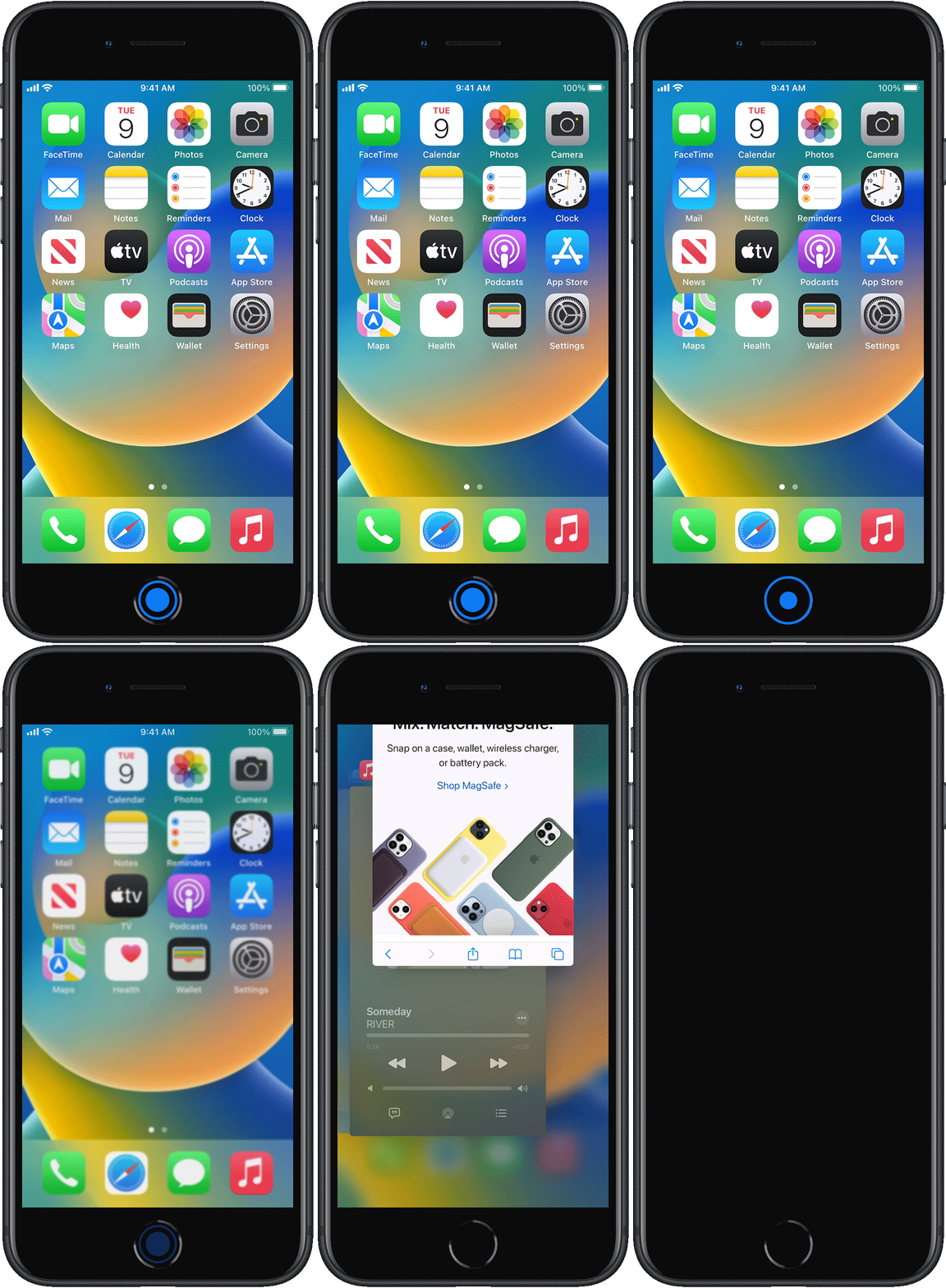
If these steps are not working, try restarting your iPhone.
If you actually have an iPhone X or later, without a Home button, you can close an app by following these steps:
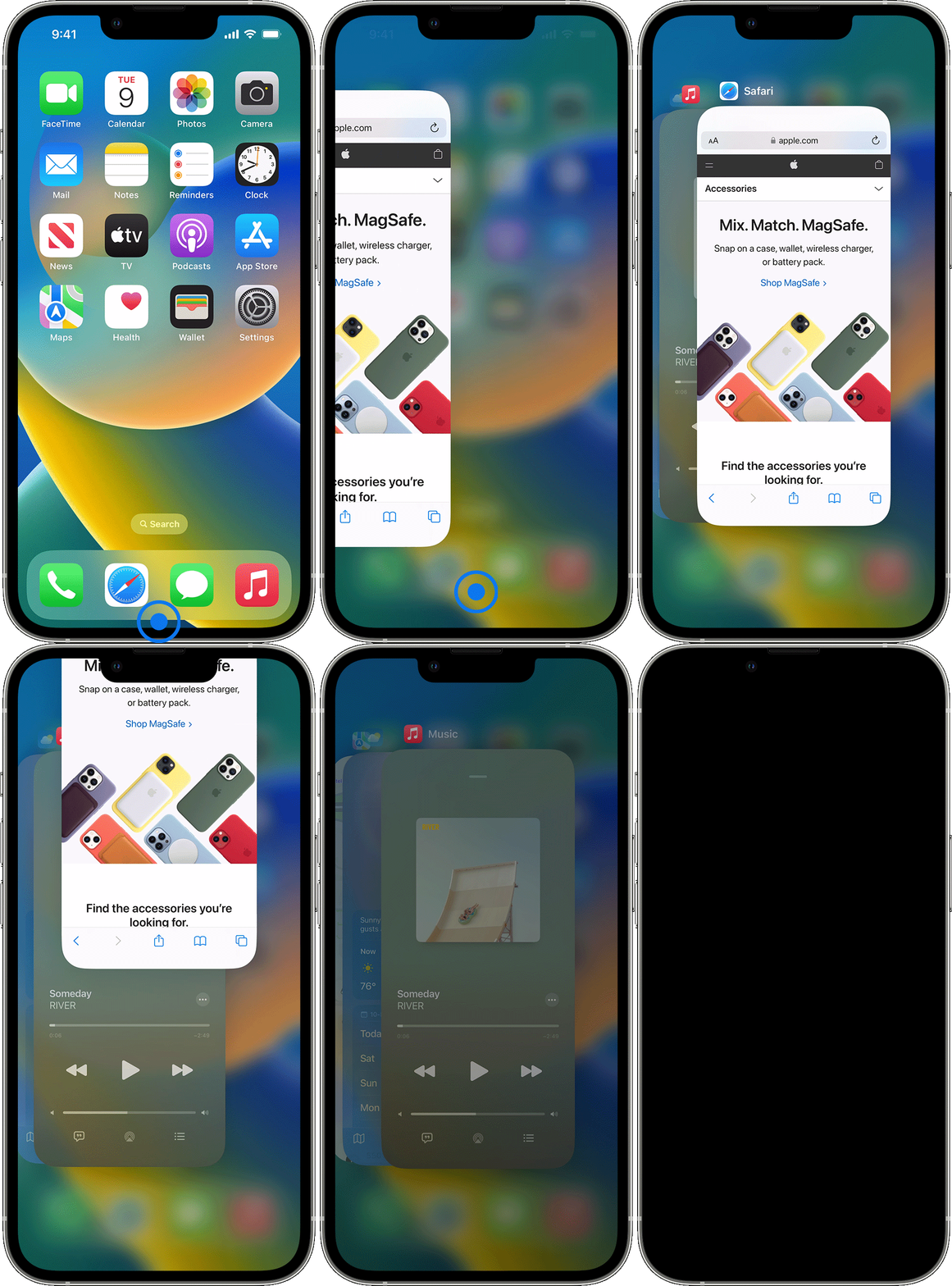
I hope this helps!
User level: Level 1 (9 points)Feb 28, 2024 11:07 AM
How do I text this?
It says to [ text tacos12345 ]
I don't know how to do this.
Iphone 7
phil
Originally posted at discussions.apple.com/thread/255173552