Hello Olivia-V,
Thank you for reaching out to Apple Support Communities, and we'll be happy to help in any way we can. We understand you're having issues with locating passwords and iCloud Keychain on Mac. To start, follow the steps here to locate saved passwords: How to find saved passwords and passkeys on your Mac - Apple Support
"View saved passwords and passkeys in System Settings
- Choose Apple menu > System Settings. In macOS Monterey, choose Apple menu > System Preferences.
- Click Passwords.
- Sign in with Touch ID, or enter your user account password.
- Select a website, then click the Show Details button
 . In macOS Monterey, click Edit.
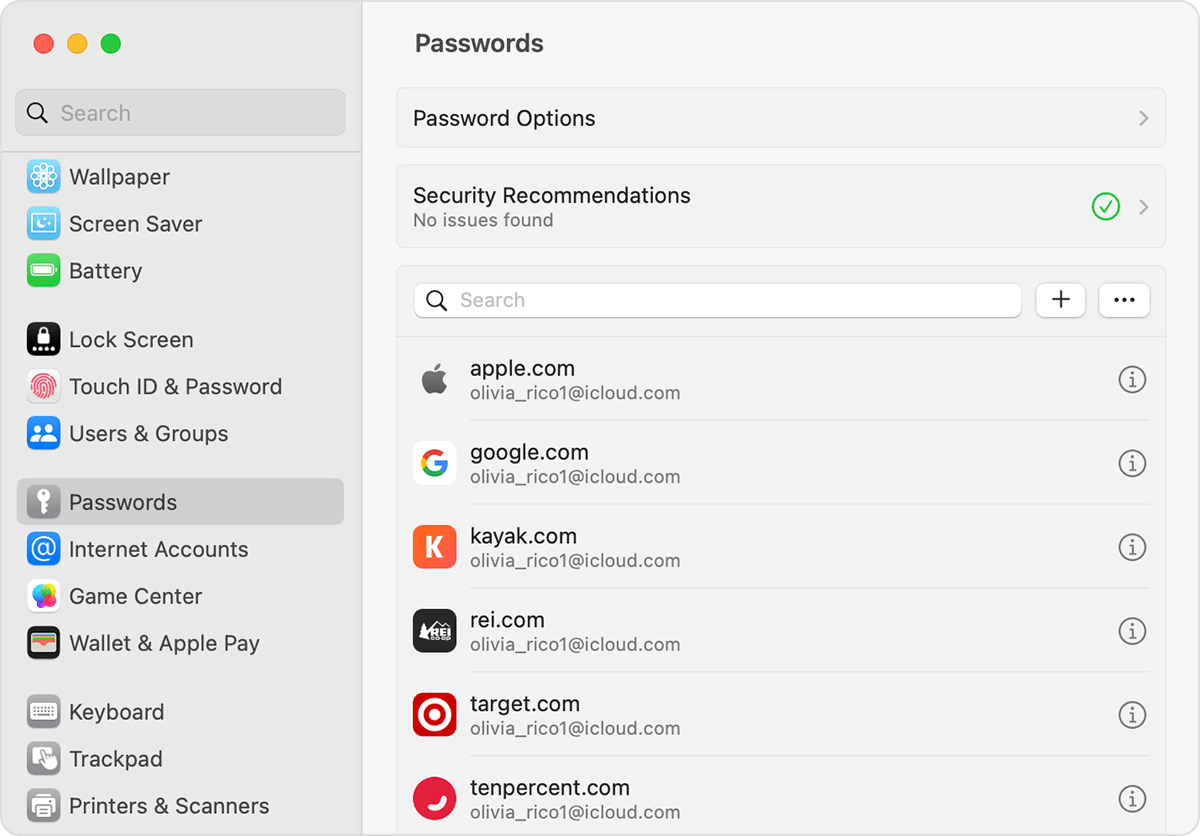 To delete a password, click Delete Password
- To update a password, change it and then click Save.
View saved passwords and passkeys in Safari
- Open Safari.
- From the Safari menu, choose Settings (or Preferences), then click Passwords.
- Sign in with Touch ID, or enter your user account password.
- Select a website, then click Edit.
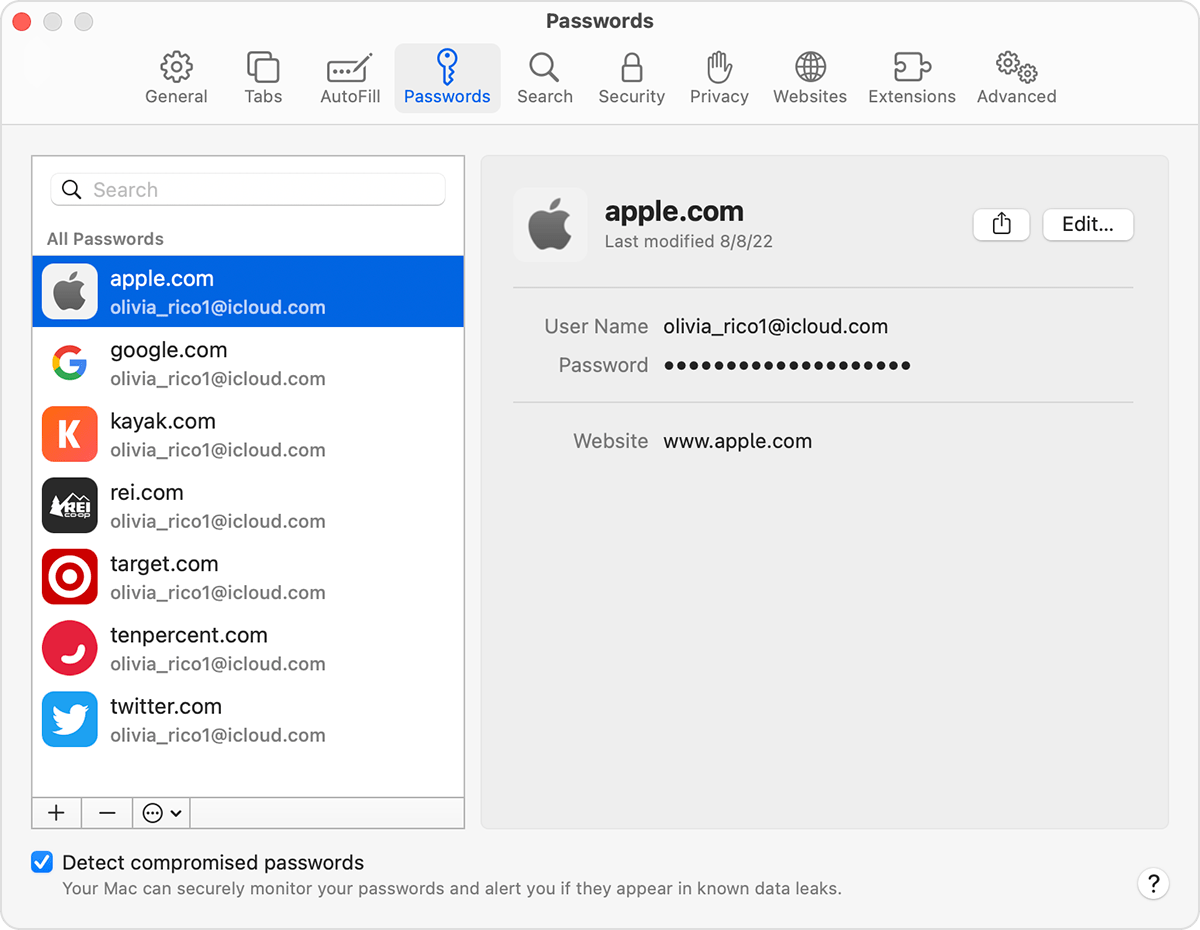 To delete a password, click Delete Password.
- To update a password, change it and then click Save.
You can also use Siri to view your passwords by saying something like "Hey Siri, show my passwords."
Save your passwords across your devices with iCloud Keychain
iCloud Keychain keeps your passwords, passkeys, and other secure information updated across your iPhone, iPad, iPod touch, Mac, or PC.
Learn which countries and regions support iCloud Keychain. "
For iCloud Keychain, follow the steps here as well to see if they help: Manage passwords using keychains on Mac - Apple Support
We hope this helps.
Cheers!
 User level: Level 1 (4 points)