Unofficial archive. This is a read-only, community-run archive of the Apple Support Community. It is not affiliated with or endorsed by Apple Inc.

I cant delete the apps that I added form shortcuts

Recently, I wanted to change my app icons, so I did that in Shortcuts then when I updated to iOS 16.5.1 on the iPhone 13 the option to remove my apps and widgets disappeared. When I hold down on an app or on the home screen, I can’t get the little delete button to pop up.

1 reply

Hello CloudyEditinq,


We would like to see how we can help you with your iPhone 13 and not being able to delete apps. Are you still able to delete them from Settings > General > iPhone Storage > Delete app? If you have not already, please restart the iPhone and test to see if the issue returns: Restart your iPhone - Apple Support


"How to restart your iPhone X, 11, 12, 13, or later

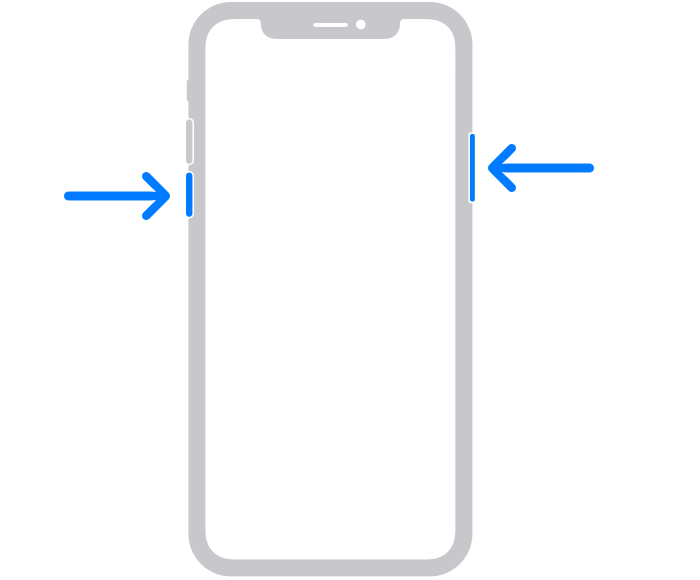
  1. Press and hold either volume button and the side button until the power-off slider appears.

The volume button is located on the left side of the device, and the side button is located on the right


2.Drag the slider, then wait 30 seconds for your device to turn off. If your device is frozen or unresponsive, force restart your device.

3.To turn your device back on, press and hold the side button (on the right side of your iPhone) until you see the Apple logo."


Get back to us with these details so that we have a better understanding of the issue, and we can go from there.


Cheers!