Few Carrier (Cellular Service Provider) do not provide Carrier Settings in full but they offer APN settings for example
- Google FI which has APN to be entered manually as h2g2
- BSNL in India which provides APN pin to be updated manually as bsnlnet
Settings > Mobile Data > APN [under Mobile Data APN] enter the APN pin
Use the APN pin based on your carrier. Ask them or google and search.
If you do see the option to enter APN then the only option is give below
Carrier Update (Required): Released by your Cellular Service provider (Carrier Update), affects your Outgoing / Incoming calls, SMS, Data etc..
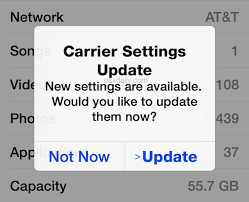
How to Update Carrier Settings
You can manually check for and install a carrier settings update with these steps: Make sure your device is connected to a Wi-Fi or cellular network. Tap Settings > General > About. If an update is available, you'll see an option to update your carrier settings.
Update your carrier settings on your iPhone or iPad - Apple Support


