Unofficial archive. This is a read-only, community-run archive of the Apple Support Community. It is not affiliated with or endorsed by Apple Inc.

what DVD software works on my imac external superdrive

My DVD Player software no longer works with the latest IOS update. What software should I use for my 2019 iMac 27"


5 replies

my apple USB superdrive is working just fine with the built in DVD player. like you, i too have a 2019 27" iMac that is currently running 12.3.1. first i need to ask, is the superdrive connected directly to the mac? or through a hub? besides that, there's a couple of things you can try.


first, go to System Preferences > CDs & DVDs and check and see if the options of what happens when you insert a disk have reset themselves.
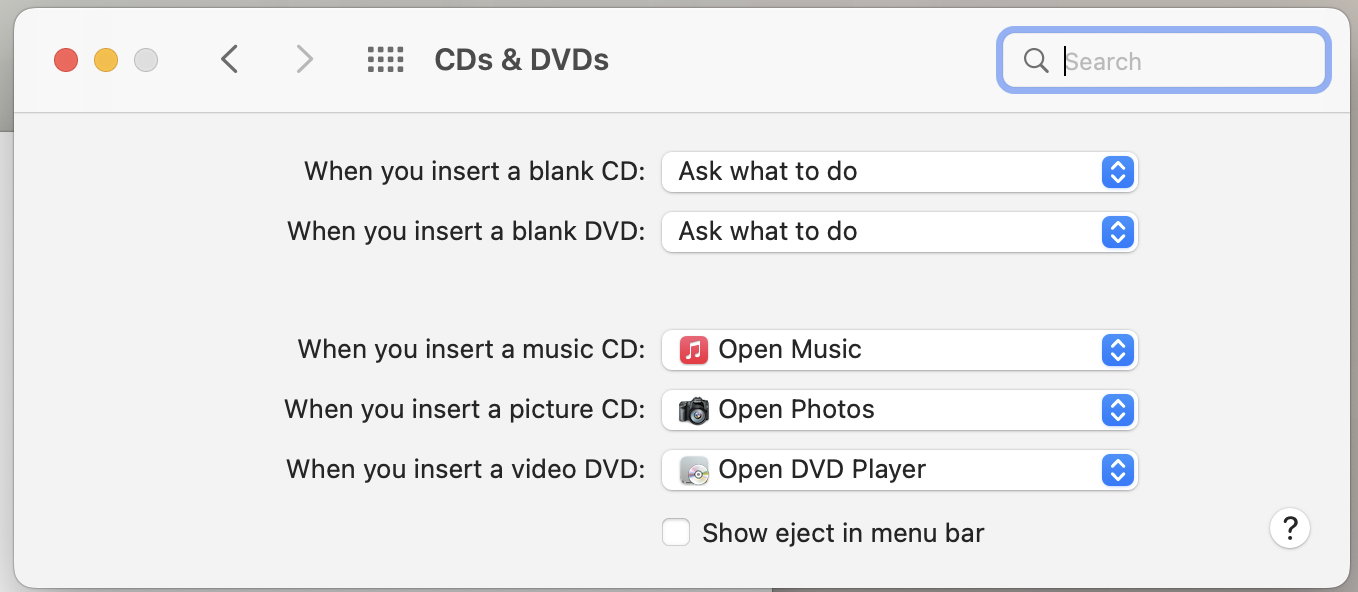

if not, then you can shut down the mac, disconnect the superdrive, power the mac up, then reconnect the superdrive and test again.


if that didn't work, i would then try and reset the NVRAM / PRAM as well as reset the SMC.

Reset NVRAM or PRAM on your Mac - Apple Support

How to reset the SMC of your Mac - Apple Support

Tried your suggestion but it didn’t work. Called Apple. They had me reinstall Monterey. The first attempt failed. Tried again and it completed. Problem seems to be fixed. Thanks so much for your answer to my SOS.

Nancy

Tried your suggestions but they didn’t work. Called Apple. They had me reinstall Monterey. The first attempt failed. Tried again and it completed. Problem seems to be fixed. Thanks so much for your answer to my SOS.

Nancy

What do you mean it does not work? What exactly happens when you try?


Note that in recent versions you won't find DVD Player in /Applications, as before; but it is still there.


You can however search for it with Spotlight and then keep the icon in the Dock, for example, or make an alias and put 00004000 that wherever you like.


FWIW, it is now located in /System/Library/CoreServices/Applications


i'm glad to hear that you've got it working.