My screen on my iPad 2 has a negative look how do I change this
 User level: Level 1 (4 points)
My screen on my iPad 2 has a negative look how do I change this
Posted on Oct 5, 2021 12:13 AM

 User level: Level 10 (334,656 points)
Oct 5, 2021 1:44 AM
If the screen colours appear to be distorted or unnatural, you need to check some key Accessibility settings that are intended to compensate for specific colour-vision issues:
Settings > Accessibility > Display & Text Size
Ensure that all settings enclosed within the red box above are switched OFF/Disabled.
User level: Level 10 (334,656 points)Oct 5, 2021 7:43 AM
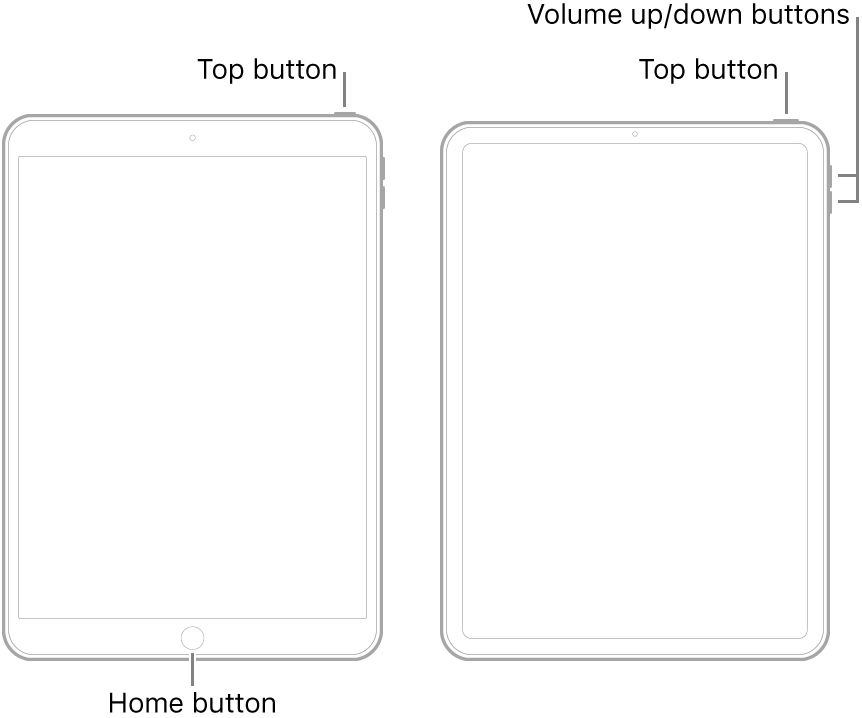
Perform a forced-restart of your iPad - as this will often resolve an isolated issue:
User level: Level 1 (4 points)Oct 5, 2021 7:07 AM
All the buttons you suggested are in the correct positions and still not corrected it’s problem
User level: Level 1 (4 points)Oct 5, 2021 7:09 AM
Originally posted at discussions.apple.com/thread/253221288